 ClipLink
Your clipboard, on every device.
Copy on one device, paste on another. ClipLink syncs text, images and files straight between your own Windows, Android, HarmonyOS and iOS devices. No account, no cloud.
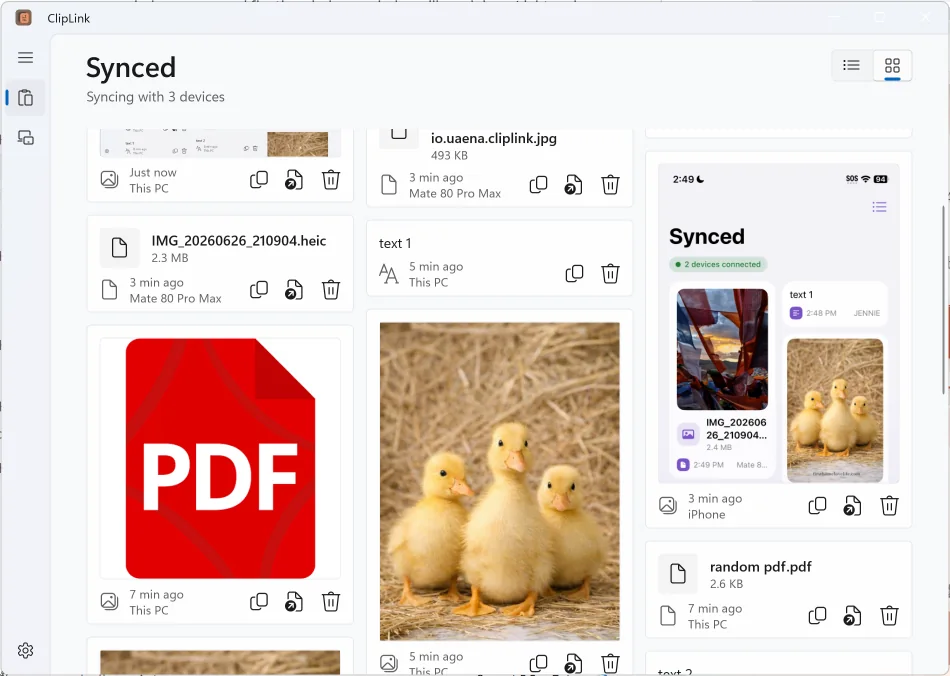
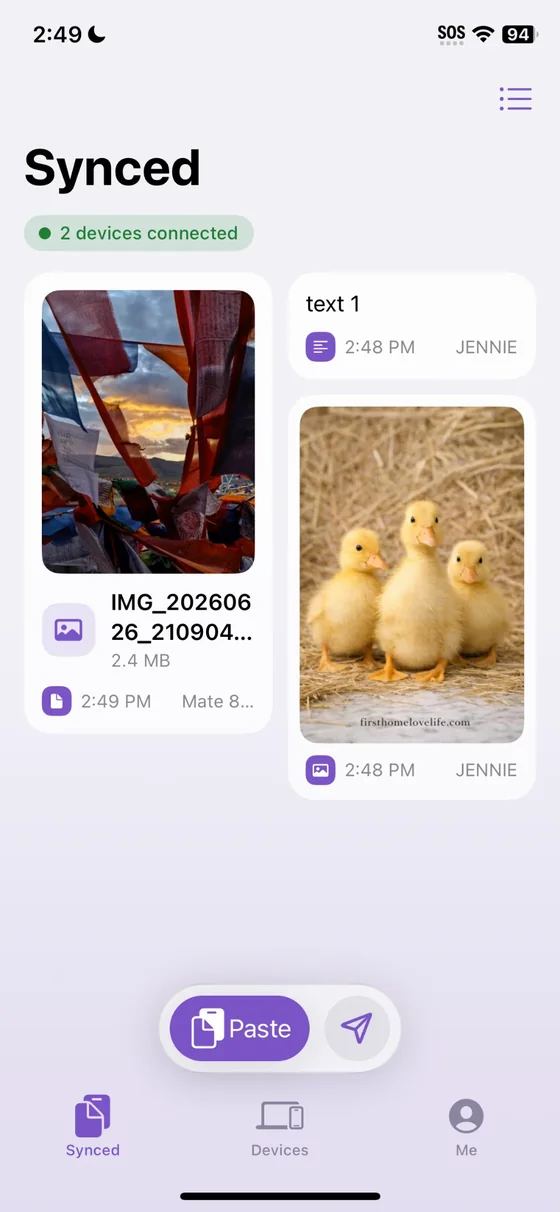
See it in action
The same items, synced across Windows, iOS, Android and HarmonyOS.
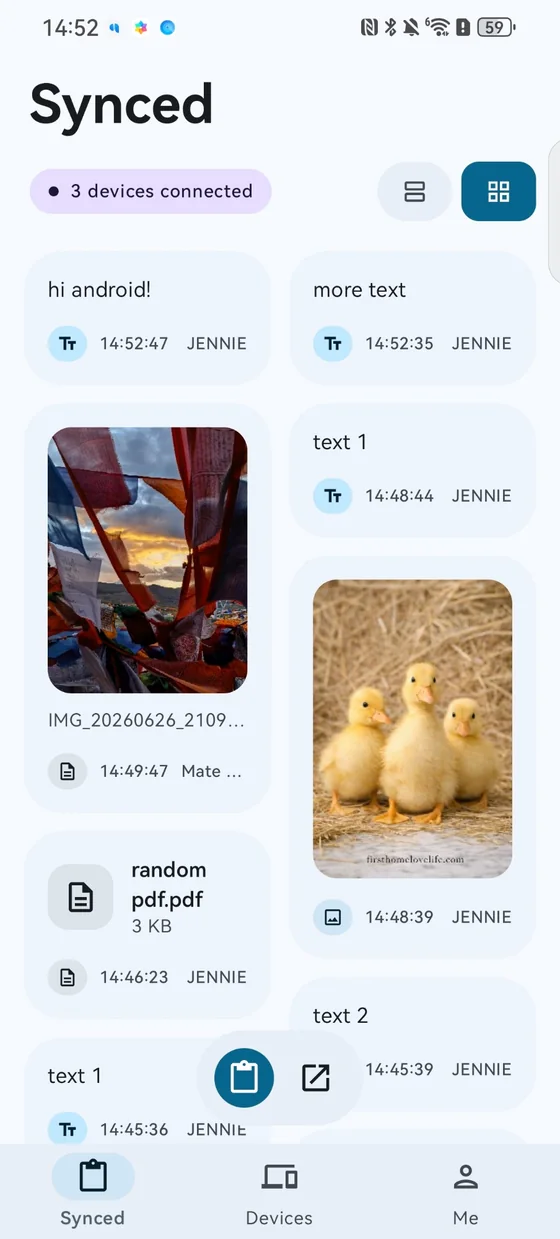
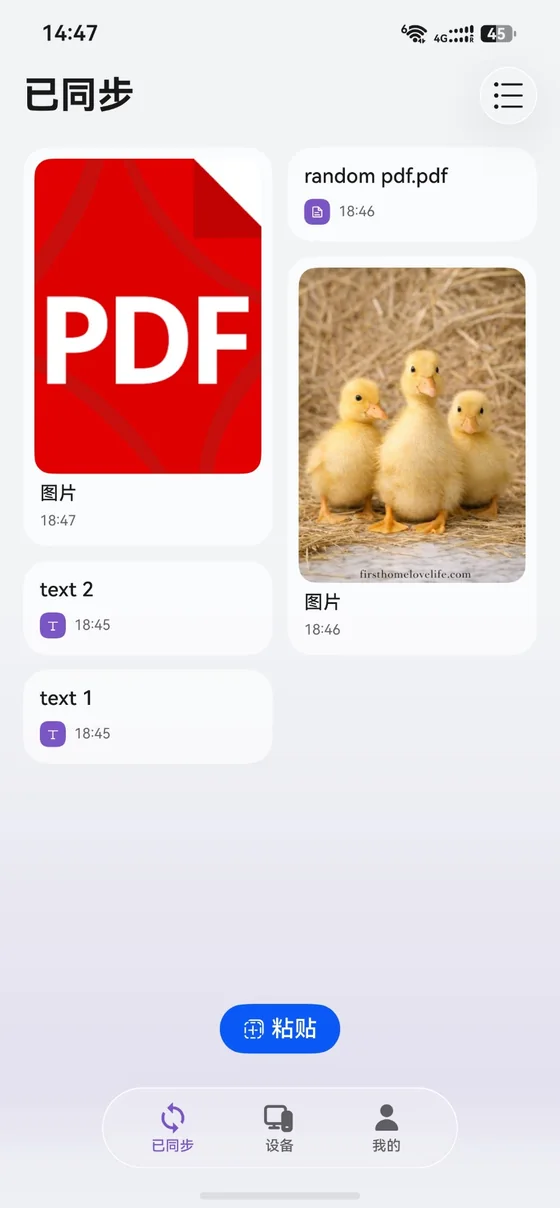
No account. No cloud. Just your devices.
What you copy goes straight from one of your devices to another. There is nothing to sign up for and no server in between.
Direct between your devices
Devices find each other on your network and talk directly to one another.
Private by design
Devices must be paired before they trust each other, and the connection between them is encrypted and authenticated.
Text, images and files
Copy a link, a screenshot or a file (up to 1 GB) and have it ready on your other devices.
History you can scroll
The latest 25 items stay in a list on every device, so you can grab something you copied earlier.
Share from anywhere
Send things from your phone's share sheet, or right-click a file in File Explorer and choose Share to ClipLink.
Four platforms
Windows, Android, HarmonyOS and iOS speak the same protocol, so they all sync with each other.
Set up in a minute
You only pair each device once.
Install it
Put ClipLink on each device you want in the group.
Pair them
Scan a QR code, enter the other device's address, or set the same passcode on devices that are all yours. Each device shows a fingerprint so you can check who you are pairing with.
Copy and paste
Copy on one device and it appears on the others. Open Synced to see everything from the last while.
Download
Pick your platform. ClipLink is free.
Windows Your device
Not code-signed yet. If Windows warns you, choose More info, then Run anyway.
Download installerAll releases and older versions are on the releases page.
Built to stay private
What you copy can be sensitive, so ClipLink keeps it between your devices.
No servers
ClipLink has no cloud service and no account. Items go from one of your devices to another.
Pair before trust
An unknown device can ask to pair, but it can't read or send anything until you trust it. You can ignore it or block it.
Open source
The code is public under the Apache 2.0 licence, so anyone can check how it works. Read the trust model.
Questions
Does my clipboard go through a server?
No. Items go straight from one of your paired devices to another. ClipLink has no servers and no accounts.
Does it work away from my home network?
On the same network, devices find each other on their own. Elsewhere, you can pair by address, for example over a VPN such as Tailscale, as long as the devices can reach each other.
Why does my phone only sync when the app is open?
iOS and HarmonyOS don't let apps keep running in the background, so those phones catch up when you open ClipLink. Android can stay running if you turn that on in settings. Windows runs in the tray, so it syncs all the time.
Windows says "Windows protected your PC".
The beta installer isn't code-signed yet, so Windows SmartScreen warns about it. Choose More info, then Run anyway. Code signing for releases is being set up; see the code signing policy.
Is it free?
Yes. ClipLink is free and open source under the Apache 2.0 licence. The code is on GitHub.